AI coding tools are remarkably good at producing impressive demos.
Ask for an authentication page, API endpoint, dashboard component, database schema, or test suite and you can often get something useful within minutes.
Real software projects are different.
A production repository has architectural decisions, conventions, dependencies, permissions, legacy code, tests, business rules, security requirements, and developers who expect new changes to fit what already exists.
This is where using Claude Code effectively becomes less about writing clever prompts and more about designing a reliable development workflow.
The question changes from:
How do I get Claude Code to generate better code?
to:
How do I give Claude Code enough context, structure, access, and verification to complete real engineering tasks without creating unnecessary risk?
That second question leads to a much more useful way of working.
Start With the Repository, Not the Request
Consider a seemingly simple task:
Add the ability for administrators to suspend user accounts.
The implementation might require changes across routes, controllers, services, database models, authorization logic, session management, audit logs, frontend components, and tests.
If Claude Code doesn't understand the existing architecture, it can still produce a technically plausible implementation.
The problem is that "technically plausible" and "correct for this repository" are not the same thing.
Before implementation begins, the agent needs to understand things such as:
where business logic belongs; how database access is handled; how authorization currently works; existing naming conventions; how errors are returned; which test framework is used; which commands verify the application; which areas should not be changed without approval.
A useful project context might establish rules such as:
Architecture
/controllers HTTP request and response handling
/services Business logic
/repositories Database access
/tests Automated tests
Rules
- Controllers should not query the database directly.
- Reuse existing services where possible.
- Do not introduce dependencies without justification.
- Follow the existing error-response format.
- Authorization changes require tests.
The individual task can then remain focused:
Add account suspension for administrators.
Requirements:
- Only administrators can suspend users.
- Suspended users should lose active access.
- Every suspension should create an audit event.
- Add tests for authorized and unauthorized requests.
This separation is important.
Project knowledge describes the environment.
The task describes the change.
Trying to squeeze both into one enormous prompt makes the workflow harder to maintain.
Let Claude Investigate Before It Implements
Another useful change is separating investigation from implementation.
For a substantial feature, I don't want the first action to be editing code.
I want something closer to:
Requirement ↓ Repository Investigation ↓ Relevant Files Identified ↓ Existing Patterns Identified ↓ Implementation Plan ↓ Developer Review ↓ Implementation
Suppose we're adding workspace-level permissions.
Claude might discover during investigation that the repository already contains role checks for another part of the application.
That could completely change the implementation approach.
It may discover an existing authorization service that should be extended rather than creating a second permission system.
It might identify a database constraint that makes the initial idea impractical.
These discoveries are much cheaper before code has been changed.
For small changes, extensive planning can be unnecessary overhead. For authentication, payments, migrations, permissions, infrastructure, or changes spanning several systems, investigation first can prevent significant rework.
Define What "Done" Means
"Build the feature" is a poor acceptance criterion for both humans and coding agents.
A better workflow defines observable outcomes.
For example:
Feature: Account Suspension
Definition of Done
[ ] Administrator can suspend an active account [ ] Non-administrator cannot suspend accounts [ ] Suspended user cannot authenticate [ ] Existing sessions are invalidated [ ] Suspension creates an audit record [ ] Existing account-management functionality still works [ ] Unit tests pass [ ] Integration tests pass [ ] Type checking passes [ ] Linting passes
Now Claude has a target that can actually be checked.
More importantly, the developer has a checklist for evaluating the result.
This becomes increasingly important as coding agents handle larger tasks. The agent's statement that a feature is complete shouldn't be the definition of completion.
Turn Repeated Instructions Into Reusable Procedures
Software teams repeat many engineering processes:
code review; security review; API review; migration review; accessibility review; release preparation; documentation updates.
If you repeatedly type the same instructions, the problem may no longer belong in the prompt.
For example, imagine telling Claude during every API review:
Check authentication. Check authorization. Review request validation. Check response schemas. Review error handling. Check backward compatibility. Confirm tests exist.
That can become a reusable procedure.
Claude Code Skills are useful for packaging repeatable instructions and domain knowledge around specific kinds of work.
A security-review procedure, for example, might require:
Identify security-sensitive changes. Review authentication. Review authorization. Inspect user-controlled inputs. Check secret handling. Review database access. Inspect new dependencies. Check information exposed through errors. Run relevant tests. Report findings by severity.
The goal isn't to create a Skill for every tiny task.
The value appears when a procedure is important enough—and repeated often enough—that consistency matters.
Developers looking for practical examples of Claude Code integrations, Skills, MCP configurations and implementation workflows can use resources such as Claude Code Club as a starting point for exploring these patterns.
Use MCP for External Context—But Limit the Surface Area
A repository rarely contains everything required to complete a task.
An agent may need information from documentation, an issue tracker, a development database, an API, or another engineering system.
This is where the Model Context Protocol becomes useful.
Conceptually:
Claude Code ↓ MCP Server ↓ External Tool or Resource
The interesting part isn't simply that Claude can connect to more systems.
The important engineering question is:
Which capabilities does this task actually require?
Imagine connecting a coding agent to:
source control; production infrastructure; databases; internal documentation; project management; analytics; customer systems.
That's powerful.
It's also a large permission surface.
A better model is:
Task ↓ Required Information or Action ↓ Appropriate Integration ↓ Minimum Necessary Permission
If the task only requires reading documentation, it doesn't need permission to modify infrastructure.
If the agent only needs development database access, production credentials shouldn't be included for convenience.
Agentic development doesn't invalidate least-privilege security principles.
It makes them more important.
Separate Probabilistic Decisions From Deterministic Actions
There are some things we want an AI agent to decide.
There are other things we simply want to happen.
That's an important distinction.
Consider:
Remember to run formatting after changing the code.
This is an instruction the model needs to remember.
But if formatting must happen consistently, deterministic automation is often a better fit.
The workflow becomes:
Relevant Event ↓ Hook ↓ Required Action
This creates a useful separation:
Context — information Claude should consistently know.
Skills — repeatable procedures Claude should follow.
MCP — external capabilities Claude may need.
Hooks — deterministic actions tied to events.
Putting every requirement into the prompt ignores the fact that different requirements have different characteristics.
Don't Build a Multi-Agent System Just Because You Can
Agentic development also creates a temptation to split everything into specialized agents.
You could have:
Main Agent │ ├── Implementation Agent ├── Testing Agent ├── Security Agent ├── Documentation Agent └── Architecture Agent
For a sufficiently complex workflow, separation can be useful.
A security reviewer, for example, may benefit from receiving only:
the requirement; relevant architectural information; the resulting diff; the security-review procedure.
It doesn't necessarily need the entire implementation conversation.
This can reduce irrelevant context and give the reviewer a more focused responsibility.
But every additional agent creates coordination overhead.
For a five-line bug fix, a collection of specialized agents is probably worse than one focused workflow.
The useful question isn't:
How many agents can we use?
It's:
Does isolating this responsibility improve the quality or reliability of the result?
If not, keep the workflow simple.
Verification Should Be Independent of the Agent's Confidence
This may be the most important part of the entire workflow.
Claude can produce a clean-looking implementation and confidently explain why it works.
That isn't evidence that it works.
A more reliable process looks like:
Implementation ↓ Automated Tests ↓ Static Analysis ↓ Acceptance Criteria ↓ Review ↓ Evidence ↓ Acceptance
Tests aren't useful merely because the agent generated them either.
Where appropriate, ask whether the tests actually exercise the behavior that matters.
For security-sensitive functionality, review authorization independently.
For migrations, verify the data impact.
For integrations, test failure conditions rather than only the happy path.
For critical business logic, compare the implementation against the original requirements.
The more work an agent performs autonomously, the more valuable independent verification becomes.
A useful principle is:
Agent confidence is not verification.
Use Failures to Improve the Workflow
A mature Claude Code setup should improve when something goes wrong.
Suppose Claude repeatedly places business logic inside controllers.
You can correct the code every time.
Or you can ask why the same mistake keeps happening.
Perhaps the project's architectural expectations aren't clearly documented.
Improve the context.
Suppose security reviews repeatedly miss authorization checks.
Improve the review procedure.
Suppose an integration exposes more permissions than tasks require.
Reduce the permission scope.
This creates a feedback loop:
Task ↓ Implementation ↓ Verification ↓ Failure Identified ↓ Workflow Improved ↓ Next Task
The important outcome isn't merely fixing one bad implementation.
It's making that category of mistake less likely in future work.
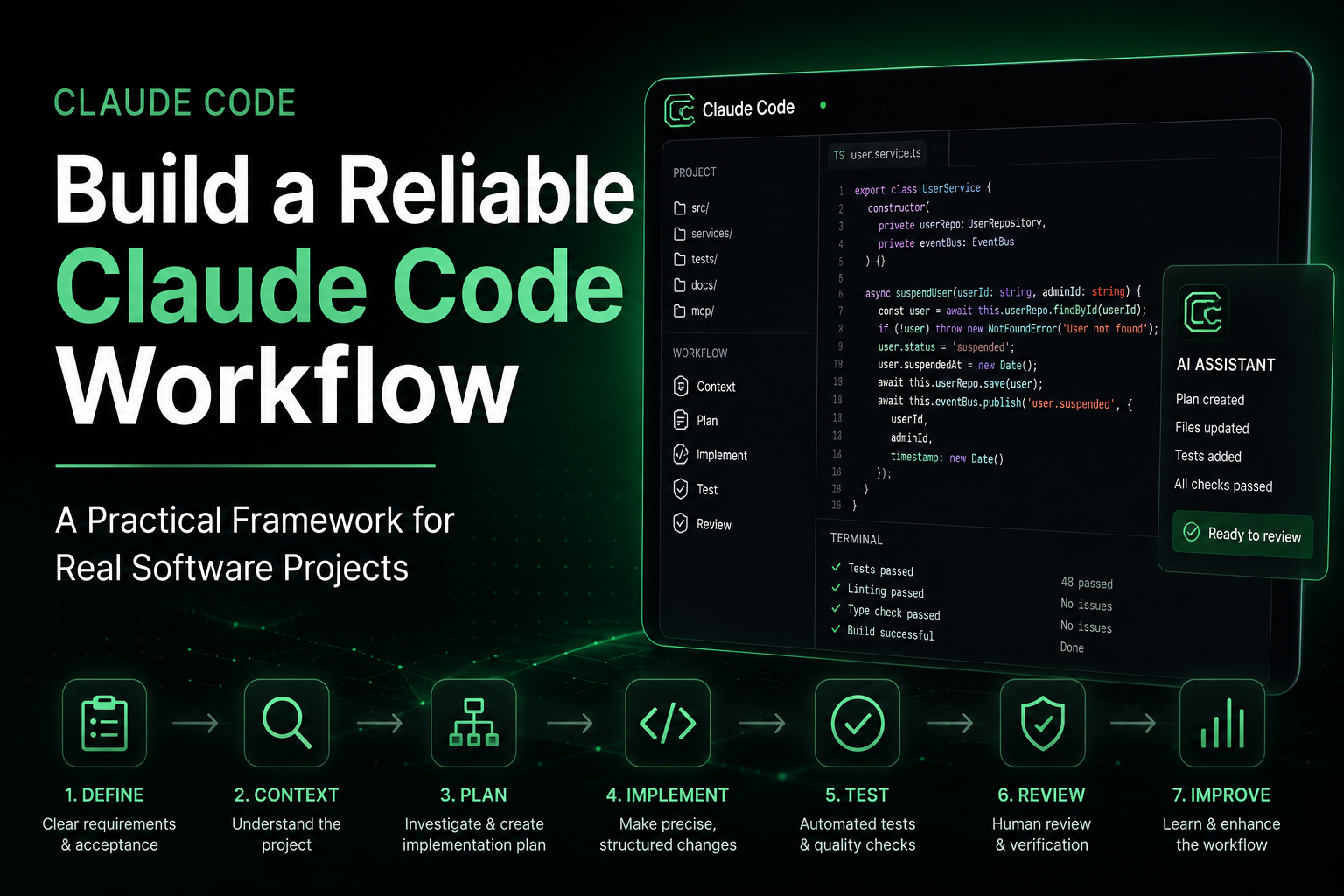
A Practical Claude Code Workflow
Putting everything together, a production-oriented workflow can remain surprisingly straightforward.
- Define
Write a clear requirement and acceptance criteria.
- Contextualize
Ensure Claude understands the relevant architecture, conventions, restrictions, and commands.
- Investigate
Let the agent inspect the existing implementation before making substantial changes.
- Plan
Create an implementation plan for non-trivial work.
- Review
Check important architectural, security, and data decisions before implementation.
- Implement
Allow Claude to perform the approved changes.
- Automate
Use deterministic tooling for actions that shouldn't depend on the agent remembering them.
- Verify
Run tests, linting, type checks, security checks, and acceptance criteria.
- Review the Result
Use human judgment where consequences justify it.
- Improve the Environment
Turn recurring mistakes or repeated instructions into better context, procedures, permissions, or automation.
The complete loop becomes:
DEFINE ↓ CONTEXT ↓ INVESTIGATE ↓ PLAN ↓ REVIEW ↓ IMPLEMENT ↓ AUTOMATE ↓ VERIFY ↓ LEARN
This is much more reliable than:
PROMPT ↓ GENERATE ↓ SHIP The Bigger Shift: From Prompt Engineering to Environment Design
AI coding initially encouraged developers to obsess over prompt wording.
Clear instructions still matter.
But as coding agents become more capable, prompt quality is only one part of the system.
Developers also need to think about:
what context the agent receives; what it can access; what it can modify; which procedures should be reusable; which actions should be deterministic; how responsibilities should be separated; how outcomes are verified.
The central question therefore evolves from:
How do I write the perfect coding prompt?
to:
How do I create an environment in which a coding agent can perform useful engineering work reliably?
That is a much more consequential engineering problem.
Final Thoughts
Claude Code becomes more useful when developers stop treating it as a code-generation box.
For real projects, reliability comes from the system around the agent.
Give it relevant context rather than unlimited context.
Let it investigate before making significant changes.
Define success in terms that can be verified.
Standardize procedures that repeat.
Expose external capabilities deliberately.
Automate deterministic requirements.
Use specialized agents only where separation genuinely helps.
And verify important outcomes independently.
The objective isn't to give an AI agent maximum autonomy.
The objective is to create reliable delegation.
That's ultimately what separates an impressive AI coding demo from an AI-assisted development workflow that a real engineering team can trust.
For developers building these workflows, Claude Code Club provides practical resources around Claude Code integrations, MCP, Skills, developer workflows, and implementation patterns.